
Scalper 2.0: The Original. Remastered

Built on user feedback, refined for performance
Scalper Mode first went live on SAHI a year back.
Full-time traders adopted it, not because it looked good, but because it worked.
Faster execution. Cleaner screens. Fewer clicks. More control.
We saw messages.We saw screenshots.
We saw traders telling us how Scalper quietly became their daily trading desk.
Scalper 1.0 proved something important: when execution friction drops, performance improves.
And then your feedbacks started coming in.
You didn’t ask for more noise.
You asked for one thing:
Less friction. More control.
So here’s presenting to you - Scalper 2.0!
It is the rebuild that removes friction step by step shaped entirely by how serious traders actually trade.
Let’s go by what Scalper 2.0 offers one by one…
Faster Charts & Lower Latency: Our fastest execution engine ever
Scalper 2.0 is built to be significantly faster and smoother with up to 60% faster chart rendering and lower latency across the trading flow.
Your charts load instantly, respond faster to your actions, and keep up with real-time price movement without lag.
This improves fill quality, reduces hesitation and slippage and over time, that directly reflects in better P&L.
1-Tap Exit From Charts: Now on Limit Price
You can now exit directly from charts using Limit orders, not just Market.
Earlier, chart exits were only Market-based.
Scalper 2.0 now lets you place measured, price-defined exits directly from the chart.
So now you can:
- Spot resistance
- Mark your exit
- Place a precise Limit order
- Exit in one tap
Your exits are no longer rushed.
They are measured. They are intentional.
This reduces slippage on volatile moves and makes every exit cleaner and more predictable.
How to Enable
- Open Scalper Mode
- Tap the three dots (⋮)
- Go to Order Defaults → 1-Tap Orders
- Set Exit Type = Limit
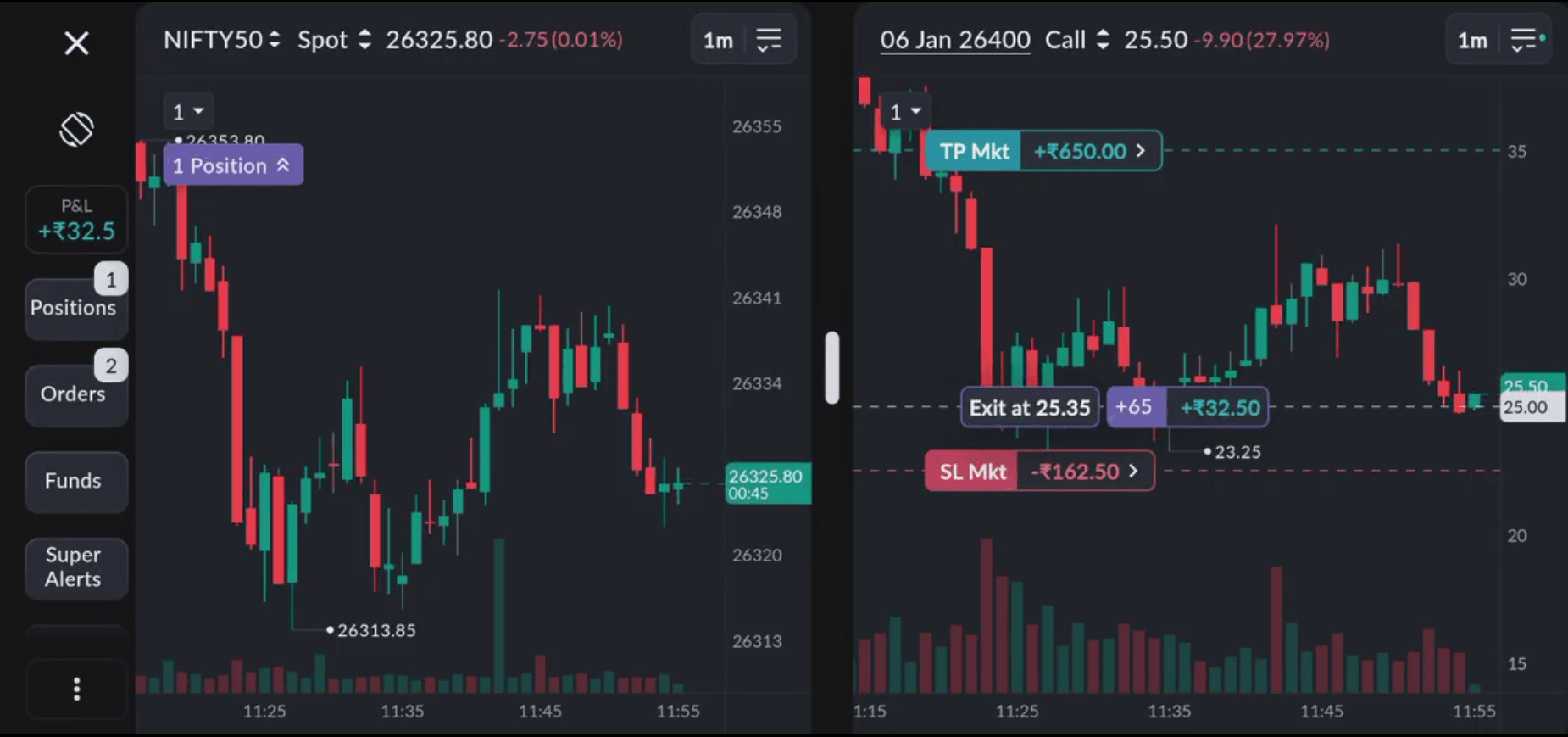
Smarter SL / TP: Choose How Your Stops Execute
Not every trade deserves the same kind of exit.
Some moments demand speed. Some demand precision.
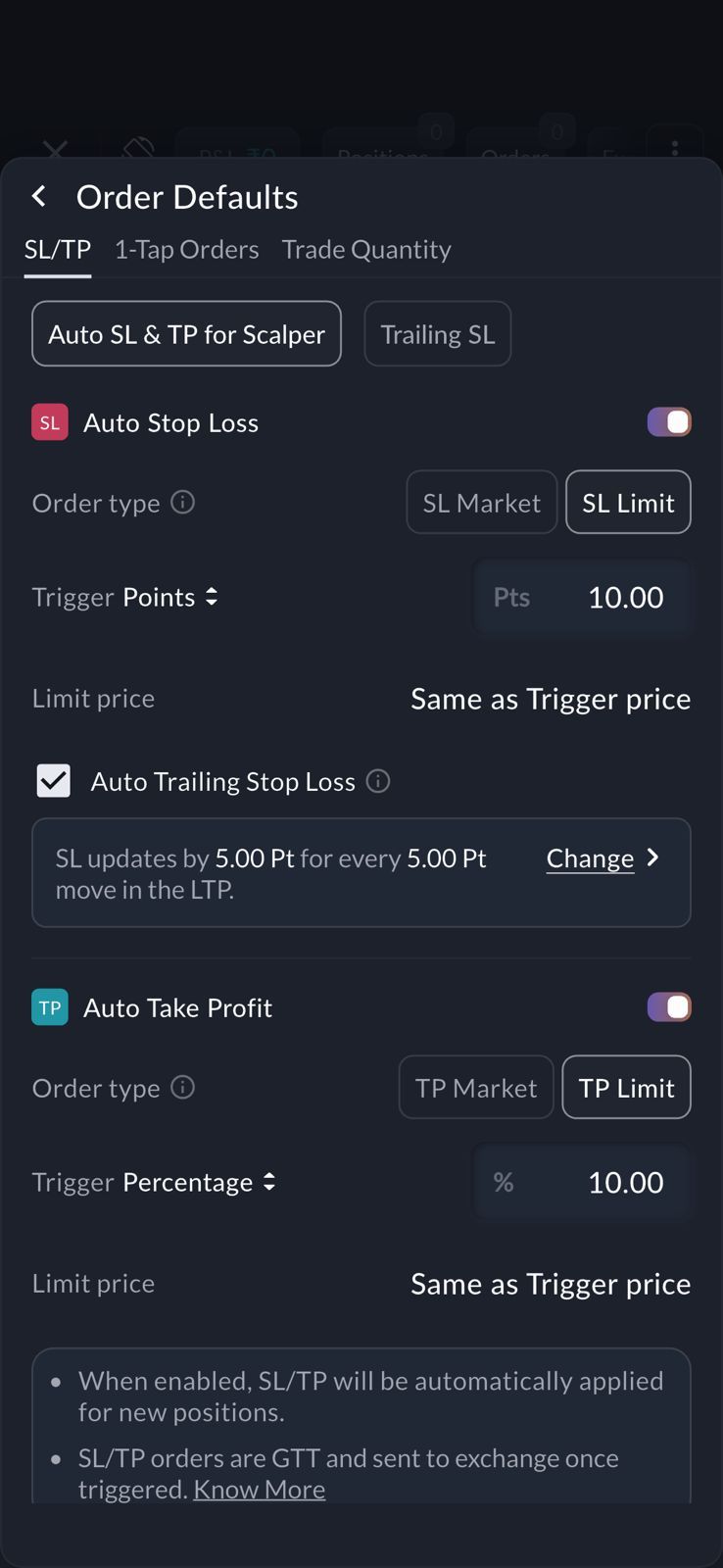
Scalper 2.0 now lets you choose how your Stop Loss and Take Profit orders execute:
| Type | Best For |
|---|---|
| Market SL/TP | Emergency exits, fast reversals |
| Limit SL/TP | Controlled exits, spreads, structured trades |
But it doesn’t stop there.
You can now define how your Limit orders are routed:
- Best Bid / Offer
- LTP (Last Traded Price)
- Midpoint of Bid/Offer
This gives you institutional-grade control over fill quality, queue position and slippage, inside your scalping desk.
How to Enable
- Open Scalper Mode
- Tap the three dots (⋮)
- Go to Order Defaults → SL / TP Order Type
- Choose Limit
Auto SL / TP: Your Exit Logic on Autopilot
Good trading is not about one perfect exit.
It is about repeating the right behaviour every time.
Once you choose Limit logic for your SL/TP, you can lock it in as your default.
All your future Scalper trades will automatically follow your chosen execution style.
Your exits stop depending on reaction speed.
They start following your system.
How to Enable
Profile → Order Defaults → Auto SL / TP
In case you hadn’t chosen auto SL/TP and already entered your trade, you choose your SL and TP at limit as well.
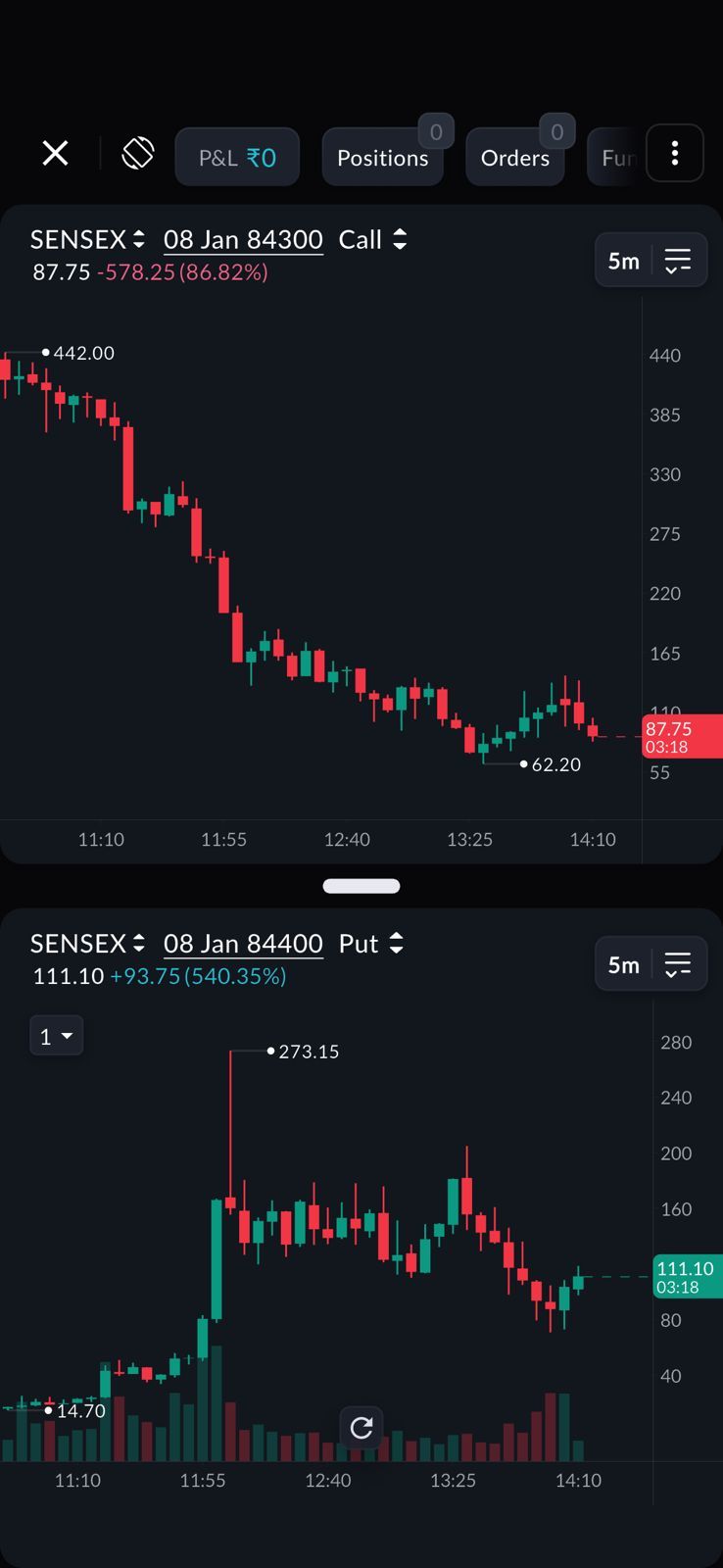
Dual Chart View: Now Even Sharper
Scalper 1.0 introduced a powerful shift in the ability to view Index + Call/Put charts together, so scalpers could finally stop reading the market one leg at a time.
SAHI Scalper 2.0 builds on that foundation.
You can now also view Call + Put charts together on your mobile screen giving you an even clearer view of premium behaviour across both legs at the same time.
The shift is subtle, but powerful.
You no longer guess where momentum is building you see it.
You no longer hesitate on strike selection you act with clarity.
Better visibility leads to faster decisions.
And faster decisions lead to cleaner entries.
How to Enable
- Open Scalper Mode
- Tap the three dots (⋮) on the top right
- Select Layout Selection
- Choose Call + Put
Your Dual Chart View will instantly switch to show both legs together.
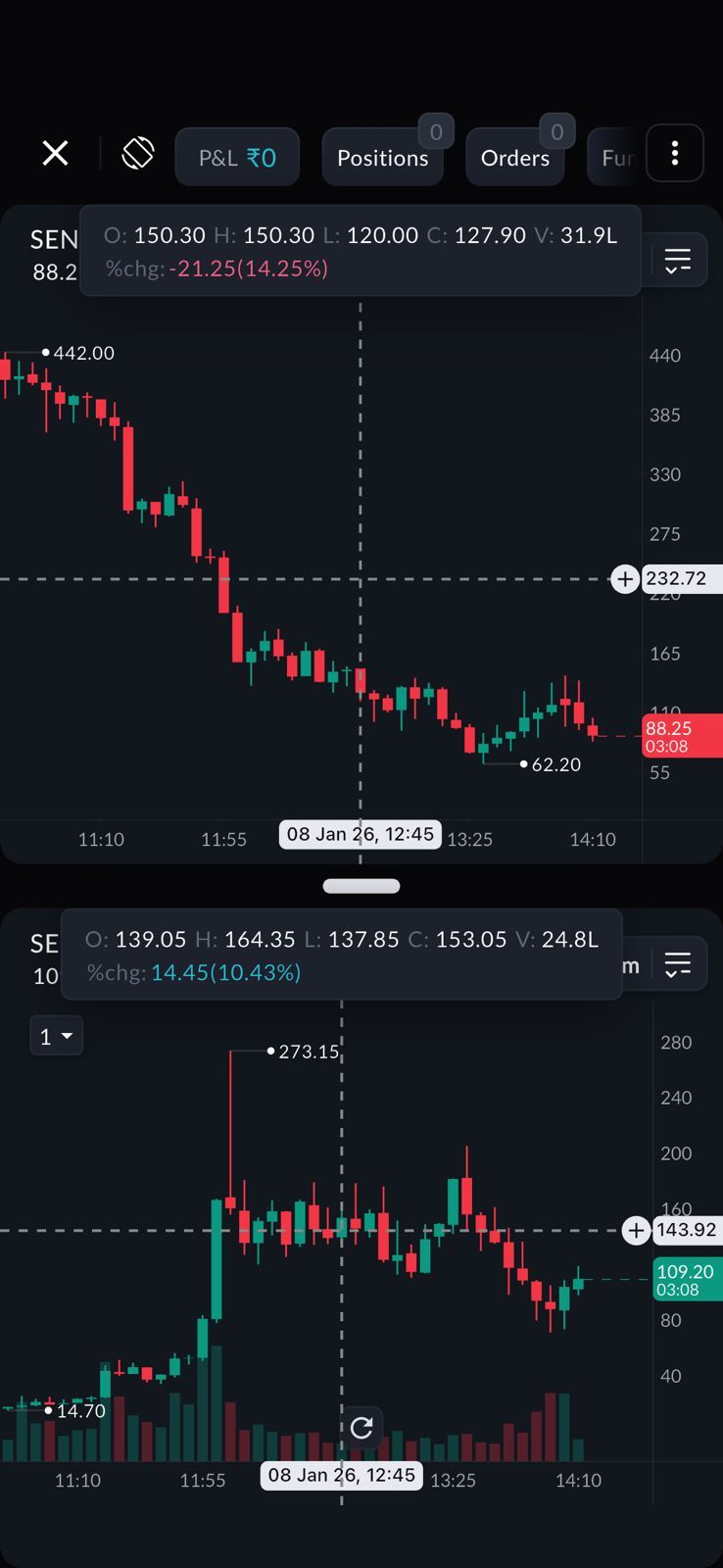
Synced Dual Charts: One Market. One Timeline.
Scalper decisions slow down when charts fall out of sync.
Scalper 2.0 now supports synced crosshair and synced timeframe in Dual Chart View.
When you move your crosshair on one chart, it mirrors on the other.
When you change the timeframe on one, the second updates instantly.
Your Call and Put.
Your Index and Option.
All move on the same clock.
No mental stitching. No re-checking.
Just faster confirmation, cleaner entries, and more precise exits.
How to Enable
- Open Dual Chart View inside Scalper
- Tap the three dots (⋮) on the top right
- Turn on Sync Across Charts
Your crosshair and timeframe will now stay perfectly aligned across both charts.
Smart Indicators: Trade With Context, Not Guesswork
Fast entries mean nothing if they are made in the wrong zone.
SAHI’s indicators give your charts the context layer that most platforms hide.
You now get built-in visibility of:
- Key Levels: High-impact zones identified by AI
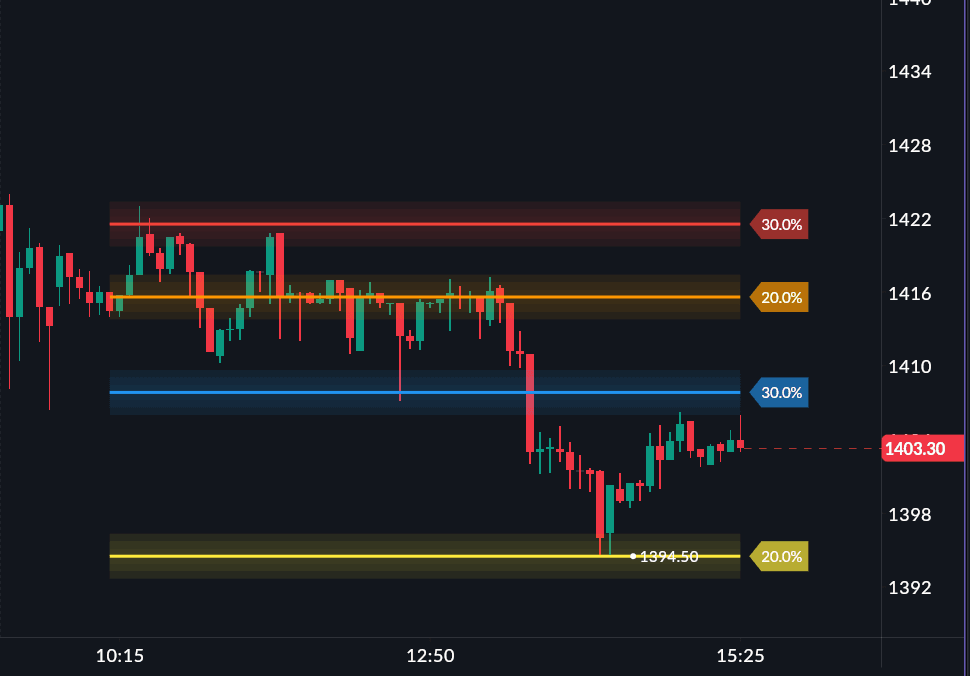
- OI Profile: Know where positions are building in real time
- OI Support & Resistance: Zones created by option positioning, no candle patterns
These indicators show you where money is sitting, where risk is concentrated, and where reactions are statistically more likely to appear.
Your trades are no longer based only on candle shapes.
They are backed by positioning, participation and structure.
This improves zone selection, reduces random entries, and helps you trade from areas that matter.
Customisable Trailing SL: Risk management, reinvented
Momentum scalping doesn’t move in neat lines but most stop-loss systems still do.
Every trader trails differently.
Some want to protect early.Some want to give trades room to breathe.
Yet platforms usually force everyone into one rigid trailing logic.
Scalper 2.0 changes that.
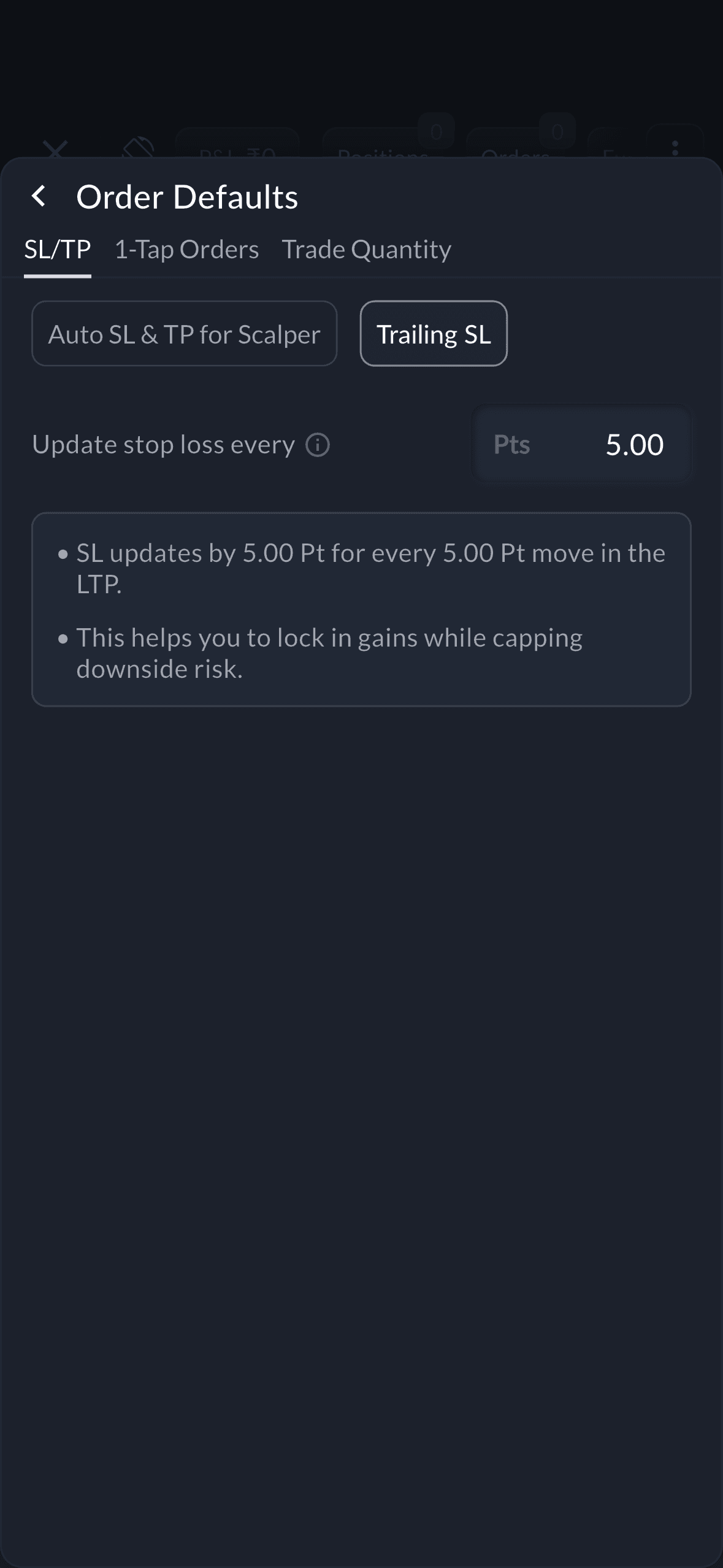
You can now define exactly how your stop should move for every point the price moves, how aggressively it should trail, when it should start protecting profits, and how tightly it should follow momentum.
Your stop no longer follows a platform rule.
It follows your trading style.
The result is quieter decision-making, better protected winners, and a steady improvement in your reward-to-risk over time.
How to Enable
- Open Scalper Mode
- Tap the three dots (⋮) on the top right
- Go to Order Defaults
- Select Trailing SL
- Enter your Update After Every value
Option Chain Inside Scalper: Context Without Leaving Your Desk
There is a dangerous moment in every scalper’s day , when your setup appears, but you are forced to leave your execution screen just to confirm the option chain.
Those few seconds are often enough for momentum to disappear.
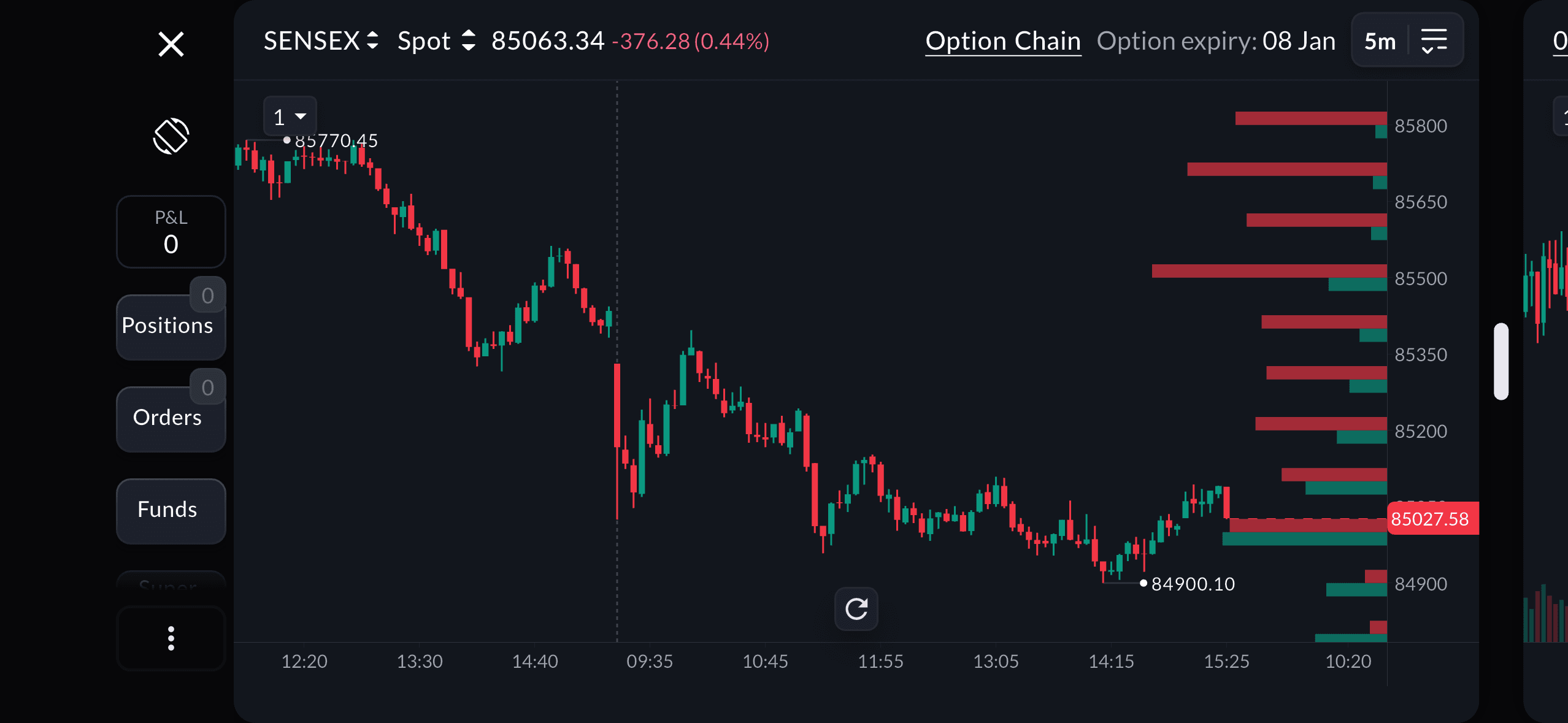
Scalper 2.0 brings the live Option Chain directly inside Scalper, letting you choose your preferred expiry and view strike-wise data such as OI, OI change, and option Greeks - all within the same screen where you place your trades.
Your entries are no longer blind.
They are backed by real market positioning and real risk awareness.
Super Alerts: Let the Market Come to You
Scalping rewards precision but constant screen-watching quietly drains it.
Fatigue builds, attention drops, and impulsive trades begin to creep in.
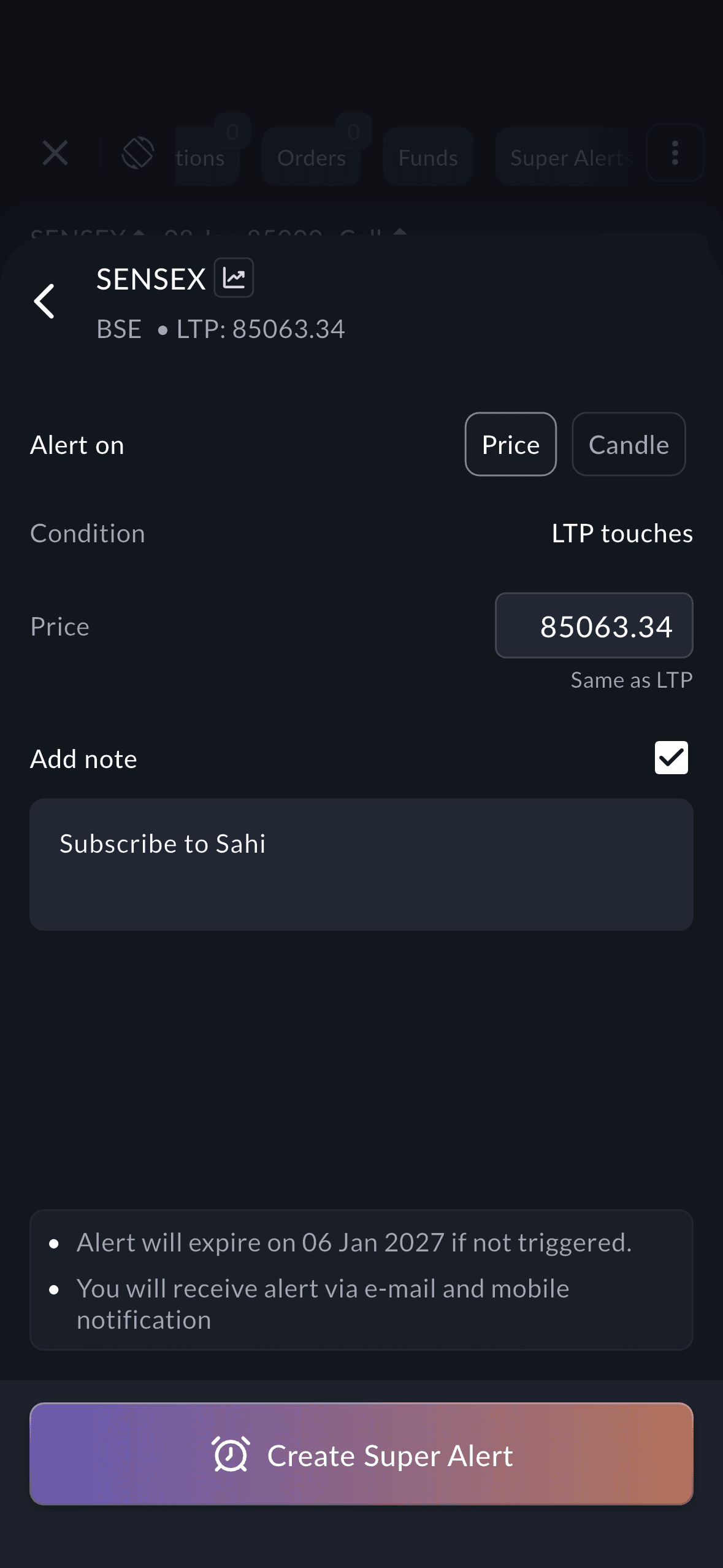
Scalper 2.0 introduces Super Alerts that track your chosen market conditions and notify you the moment your setup appears. You can create alerts based on price levels as well as candle behaviour, so you are called into the market only when your exact trading conditions are met.
You stop watching every candle.You start responding only to meaningful moments.
This reduces screen fatigue, improves trade selection quality, and helps you stay disciplined responding to opportunity instead of chasing it.
How to Enable
- Open Scalper Mode
- Scroll the top banner
- Tap Super Alerts
- Add your trigger conditions
Your alerts will now notify you the moment your setup appears.
SAHI Pulse: Your Trade Never Leaves Your Sight
Scalping doesn’t pause when you look away.
The market doesn’t wait while you reply to a message.
And your position doesn’t care if you’ve switched apps.
SAHI Pulse is built for this exact reality.
With picture-in-picture mode, Scalper 2.0 lets your live P&L and candle movement float on your screen, even while you move between apps, answer calls, or handle other tasks on your phone.
Your trade stays with you.Your market stays visible.
Your awareness never drops.
This is not just convenience.
This is continuity, the quiet edge that helps you react faster, miss fewer moves, and stay mentally connected to your trade at all times.
SAHI Pulse activates automatically the moment your position is created.
No toggles. No setup. No extra steps.
Custom Candle Colours: Make Your Charts Feel Like Yours
No two traders read charts the same way.
Some prefer calm tones.
Some like high-contrast setups.
Some want their charts to feel easier on the eyes during long sessions.
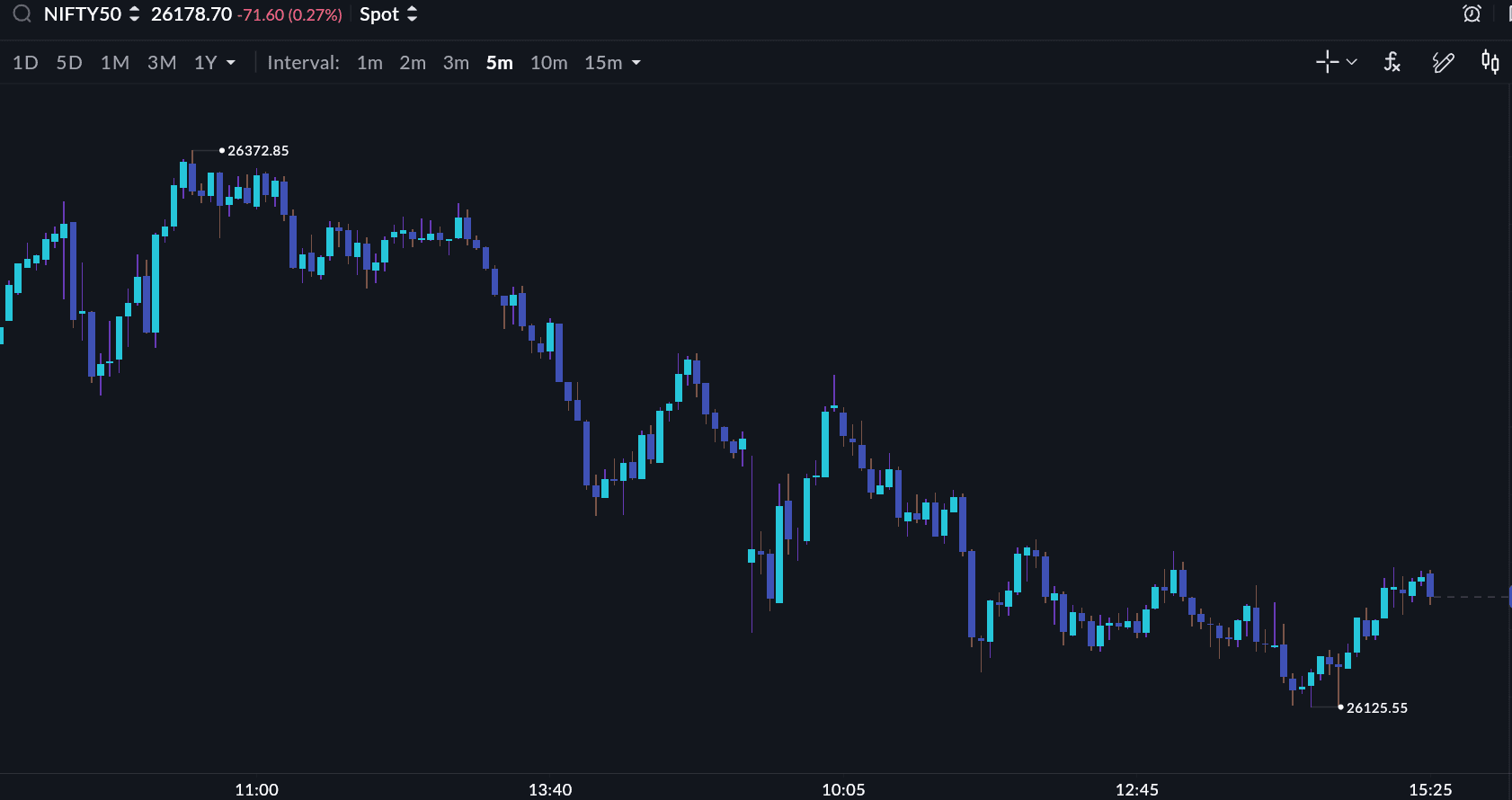
Scalper 2.0 now lets you fully customise candle colours across all chart types including Candlestick, Heikin Ashi, Hollow Candle, Line and Area charts.
You can personalise:
- Bullish candle colours
- Bearish candle colours
- Wick colours
- Gridlines, crosshairs and session breaks
Your charts stop feeling generic.
They start feeling familiar.
This reduces visual fatigue, improves pattern recognition, and makes long trading sessions far more comfortable.
Funds Pill: Know Your Firepower Before You Fire
Fast markets don’t give you time to second-guess your margin.
Scalper 2.0 introduces the Funds Pill, which keeps your real, live available margin visible inside Scalper at all times. Your deployable capital is always in sight before you enter, while you are in the trade, and as you plan your next move.
This brings clarity to position sizing, prevents accidental over-exposure, and reduces forced exits caused by margin surprises.
You don’t just trade faster.You trade with awareness.
Built From Trader Feedback
Every single change in Scalper 2.0 exists because real scalpers asked for it.
This is not a new product.
This is your trading desk evolved.
All topics
Click the link, confirm the box next to sahi.com is checked — ignore any other results.